
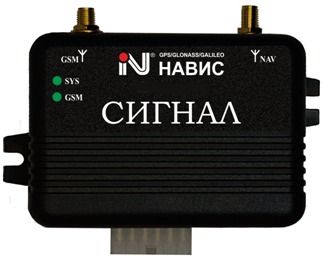


El rastreador GPS SIGNAL S-2115 de NVS es un conjunto móvil de equipos diseñado para funcionar con las señales de SNON GLONASS / GPS / GALILEO / SBAS. Está basado en el receptor certificado NV08C fabricado por ZAO KB NAVIS, lo que garantiza su calidad y precisión en la recepción de señales de navegación.
Este kit móvil es especialmente útil como sistema de alarma y monitoreo inalámbrico para vehículos automotrices. Gracias a su protocolo abierto de intercambio de información, puede integrarse fácilmente en cualquier sistema de navegación e información existente.
El SIGNAL S-2115 es recomendado para su uso en el monitoreo y despacho de sistemas de vehículos terrestres. Cuenta con el Certificado de Prueba GLONASS / GNSS-Forum No. 06I-2011, lo que respalda su calidad y confiabilidad.
Además, al adquirir este rastreador GPS, recibirás de forma gratuita el software de monitoreo de transporte, lo que te permitirá tener un control completo sobre tus vehículos y optimizar su rendimiento.
Características destacadas:
- Funciona con señales de SNON GLONASS / GPS / GALILEO / SBAS
- Basado en el receptor certificado NV08C de ZAO KB NAVIS
- Protocolo abierto de intercambio de información
- Recomendado para monitoreo y despacho de sistemas de vehículos terrestres
- Incluye software de monitoreo de transporte gratuito
Configurar SIGNAL S-2115
Para configurar el rastreador envíe los siguientes comandos a través de mensajes de texto, En el ejemplo se asume que la contraseña del dispositivo es dhTluf que es la inicial del dispositivo
-
Restaurar la configuración de fabrica
begindhTluf -
Configurar la zona horaria en UTC-0
time zonedhTluf 0 -
Configurar el APN del operador
apndhTluf {{apn}} -
Configurar el usuario y contraseña del APN del operador
updhTluf {{apnu}} {{apnp}} -
Configurar el servidor GPRS
adminipdhTluf 54.85.159.138 8888 -
Cambiar al modo GPRS
ieAa5LEcNy,1,1
o
ieAa5LEcNy
Para verificar la configuración checkdhTluf